Quick Answer
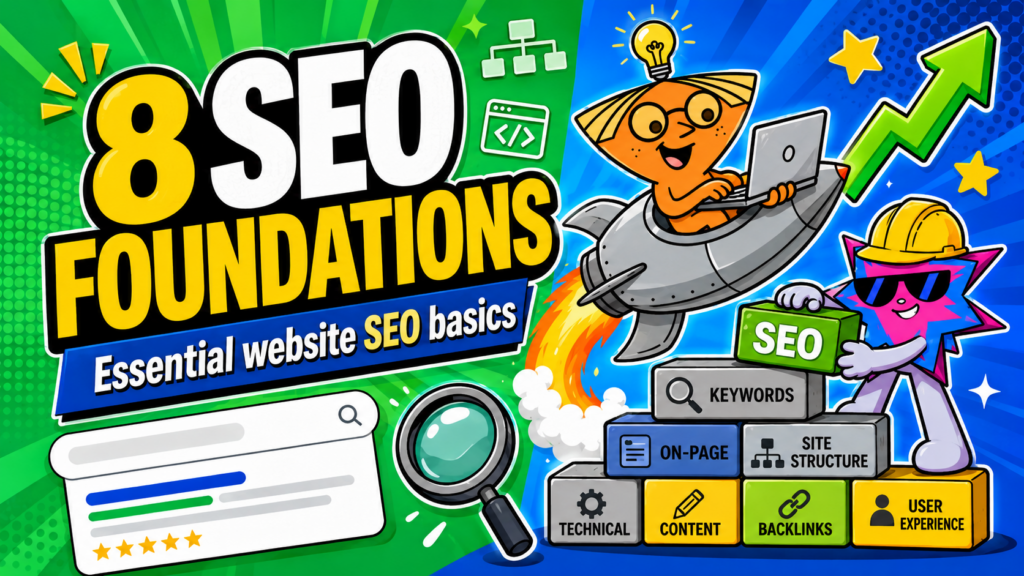
The essential SEO implementations for a good website are keyword mapping, clear metadata, logical heading structure, useful image optimisation, contextual internal links, technical performance, indexability with a sitemap, and structured data where it accurately describes the page. These foundations do not guarantee rankings, but they make it easier for search engines to understand the site and for users to decide whether it answers their question.
Key Takeaways
- SEO is strongest when it is planned before the build. Fixing basic structure, page purpose, and crawlability after launch is usually more expensive and more confusing.
- Every implementation should help a real person as well as a search engine. Do not add a keyword, FAQ, schema type, or internal link unless it improves the page.
- Foundations are not a ranking guarantee. They create the conditions for content, authority, technical performance, and measurement to improve over time.
Why SEO Foundations Matter
SEO is not a bag of tricks you sprinkle on after the website is finished. At its core, it is about helping search engines understand your content and helping the right people decide whether your page is worth visiting.
Google’s SEO Starter Guide makes the same distinction: good SEO is not a guarantee that a page will rank first, but it can make it easier for search engines to crawl, index, and understand a website while also making it easier for users to explore the content. [Source: Google Search Central]
That is why the foundations matter. A beautiful site can still struggle if key pages have no clear purpose, titles are generic, headings are confusing, important content is hidden, or search engines cannot access the page properly.
| Think of SEO foundations as a building standard, not a magic spell. They help you avoid obvious structural problems. They do not replace useful content, credible evidence, relevant demand, or time. |
Related reading: How to Build a High-Converting Website: 15 Proven Elements [add internal link before publishing]
What “SEO Implementation” Actually Means
An SEO implementation is a practical decision in the website’s content, structure, technical setup, or measurement that makes the page easier to find, understand, and use.
Some are visible to readers, such as a clear title, good headings, useful links, and descriptive images. Others happen behind the scenes, such as a sitemap, canonical URL, structured data, or indexing check. The best setup connects both.
1. Map Keywords and Search Intent Before Writing Pages
This helps prevent keyword cannibalisation, which happens when two or more pages on the same website compete for the same keyword or search intent. When this happens, both users and search engines may struggle to understand which page is supposed to be the best answer.
Instead of creating five pages that all vaguely talk about “website design”, keyword mapping helps each page do a different job.
For example:
| Page | Main search intent | Page role |
| Web design service page | Commercial | Explain the service and convert visitors |
| Website cost article | Informational/commercial | Help users understand pricing |
| High-converting website guide | Informational | Educate users and support the main service page |
| Website structure article | Informational | Support the conversion-focused website cluster |
Before writing a page, ask:
- What is the main query or problem this page should answer?
- What does the person searching for it actually want: information, comparison, service details, pricing, or a product?
- Which existing page, if any, already owns this search intent?
- What secondary questions or related terms genuinely help explain the topic?
- What should the visitor do after getting their answer?
At Nebulon, we plan keywords together with the sitemap. This means we do not only decide what pages should exist visually. We also decide what search intent each page should own, how pages should support one another, and which internal links should guide visitors through the site.
For example, a pillar article may explain a broad topic like high-converting websites, while supporting articles cover speed, structure, CTAs, trust signals, responsive design, and SEO foundations. Each article has its own angle, but they all connect back to the larger topic.
Why it matters: keyword mapping reduces cannibalisation and gives every page a clearer purpose. When each page has a specific search intent, users get a better answer, search engines understand your site more clearly, and your content cluster becomes stronger over time.
2. Write Unique Titles, Descriptions, and Useful URLs
The primary keyword should make the main topic clear. Supporting keywords should help explain the page naturally, not be squeezed in just for SEO. For example, if the page is about website structure for conversions, supporting phrases like website sitemap, website navigation structure, internal linking, and page hierarchy can appear where they genuinely help the explanation.
Each element has a different role:
- Title: Clearly describes the page and gives searchers a reason to click. Use the primary keyword naturally, preferably near the front.
- Meta description: Briefly summarises the page’s most useful point. Include the primary keyword or a close variation, then explain the benefit.
- URL: Helps users and search engines understand where the content sits. Keep it readable, stable, and focused on the main topic.
- H1: Tells the visitor what the page is about once they land. It should match the promise made in the search result.
- On-page headings: Use supporting keywords, related questions, and subtopics to break the content into useful sections.
Google recommends title links that are descriptive, concise, unique to the page, and accurate to the page’s content. It also warns against keyword stuffing because repeating the same words unnaturally can make a result look spammy to both users and Google. Source: Google Search Central, Title Links
Google also explains that snippets can be created from the meta description or page content, depending on what best matches the search. That means your opening paragraphs and headings should clearly summarise the answer instead of hiding the useful point under a generic company introduction. Source: Google Search Central, Snippets
Why it matters: the search result is often your first conversation with the visitor. If the title promises a guide to website pricing, the page should not open with a vague company slogan. The keyword, heading, description, and first few paragraphs should all confirm: “Yes, you are in the right place.”
3. Use Headings to Make the Page Easy to Understand
Headings are not decoration. They show the reader what the page covers and let them scan for the part that matters to them. They also create a cleaner structure for search engines and assistive technologies.
A useful hierarchy is simple:
- One H1 for the main page topic.
- H2s for the major questions, steps, or themes.
- H3s for supporting detail under a relevant H2.
- Short answer-first opening paragraphs where the visitor needs a quick definition or direction.
Why it matters: a page with clear headings lets readers jump to the answer they need instead of reading a long block of copy. It also helps you catch a content problem early. If you cannot explain what each heading is doing, the page may be trying to say too many things at once.
4. Optimise Images for Meaning, Accessibility, and Speed
Image SEO is not about repeating keywords in every alt text field. It is about making images useful for people and lightweight enough for the page.
- Use descriptive alt text when the image adds meaningful information.
- Leave decorative images with empty alt text where appropriate, rather than forcing irrelevant descriptions.
- Use filenames, captions, and surrounding content that accurately reflect the image.
- Choose suitable file formats, dimensions, compression, and lazy-loading behaviour so the image does not slow the page unnecessarily.
- Avoid text baked into essential images when the same message should be available as real HTML text.
Why it matters: images can help people understand the page, but huge or poorly handled images can also hurt speed and accessibility.
Related reading: How to Fix a Slow Website: 10 Fixes to Stop Losing Customers [add internal link before publishing]
5. Build Internal Links as Useful Paths
Internal links connect related pages so visitors can continue when they need a deeper answer. They also help search engines discover pages and understand how topics fit together.
Use anchor text that describes the destination. “How to write clearer website CTAs” tells the reader more than “click here”. Google’s link guidance says appropriate anchor text helps users and search engines understand what a linked page contains. [Source: Google Search Central]
Why it matters: internal links should feel like helpful signposts. A high-converting website guide can lead readers to a slow-website article, a CTA guide, or a responsive design guide precisely when those topics become relevant.
6. Make Technical Performance Part of the Experience
Technical SEO is sometimes treated like a separate department from user experience. In reality, speed, mobile usability, stable layouts, and crawlable content are all part of the visitor’s experience.
Core Web Vitals focus on loading, interaction responsiveness, and visual stability. They are useful benchmarks, but they are not the whole story. A page should still be tested on real devices and real connections. [Source: web.dev]
Why it matters: a page cannot convert, educate, or earn trust if users leave before the main content appears or if the interface lags when they try to use it.
7. Make Important Pages Crawlable and Indexable
A good page needs to be discoverable before it can earn traffic. It does not matter how useful your copy is if Google cannot reach the page, understand it, or include it in search results.
This is why every important page should be:
- Crawlable: Search engines can access the page.
- Indexable: Search engines are allowed to store and show the page in search results.
- Internally linked: Visitors and search engines can reach it through normal links on your website.
- Canonicalised properly: If similar versions of the page exist, search engines know which version you prefer.
Think of it like opening a shop in a mall. If the shop is hidden behind a locked door, not shown on the directory, and has three different unit numbers, people will struggle to find it. Your website pages work the same way.
Crawlable: Can Google Reach the Page?
Crawling is when search engines visit pages to discover and understand them.
A page may fail to be crawlable if:
- It is blocked in
robots.txt - It requires a login
- It is only accessible through a form or search box
- It is not linked from anywhere else on the site
- It depends on broken JavaScript to show important content
Google explains that a robots.txt file tells crawlers which URLs they can access on a site. This is useful for managing crawler access, but it can also accidentally block pages that you actually want found. Source: Google Search Central, robots.txt
Example:
If your services page is accidentally blocked in robots.txt, Google may not be able to crawl it properly. That means the page may struggle to appear in search even if the copy is strong.
Indexable: Can the Page Appear in Search?
Indexing is when Google stores a page and makes it eligible to appear in search results.
A page may be crawlable but still not indexable if it has a noindex instruction. A noindex tag tells search engines not to show that page in search results.
This is useful for pages like:
- Thank-you pages
- Internal testing pages
- Private landing pages
- Duplicate campaign pages
- Thin utility pages
But it should not be placed on important pages such as:
- Homepage
- Service pages
- Key blog articles
- Product category pages
- Important pricing or comparison pages
Example:
A blog article may be fully written, internally linked, and published, but if it accidentally has a noindex tag, it is basically telling Google, “Please do not show this page in search.”
Internal Links: Can People and Search Engines Find It Naturally?
A sitemap helps, but internal links still matter.
Google says it can usually discover most pages if they are properly linked, meaning important pages can be reached through navigation or links placed on other pages. It also notes that sitemaps can improve crawling for larger, newer, more complex, or media-heavy sites. Source: Google Search Central, Sitemaps
So do not rely only on submitting a sitemap. If a page matters, link to it from somewhere logical.
Example:
If you publish an article about website speed, it should not sit alone with no links pointing to it. It could be linked from:
- Your high-converting website pillar article
- A related SEO foundations article
- A website mistakes article
- A relevant section on your web design page
- Other articles that mention speed, UX, or conversion
Google also recommends using descriptive anchor text because it helps both people and Google understand the page being linked to. Source: Google Search Central, Link Best Practices
Instead of:
Click here
Use:
Learn how to fix a slow website
That tells the reader and search engine what the next page is about.
XML Sitemap: Are You Giving Search Engines a Clean Page List?
An XML sitemap is a file that lists the URLs you want search engines to know about. It can also include information such as when a page was last updated or whether the page has alternate language versions.
A sitemap is especially useful when:
- The site is large
- The site is new
- Some pages have few external links
- The site has many images, videos, or news pages
- The internal linking structure is still being developed
Google explains that a sitemap can help search engines crawl a site more efficiently, but it does not guarantee that every submitted URL will be crawled or indexed. Source: Google Search Central, Sitemaps
Example:
For a small service website with fewer than 500 pages and strong internal linking, Google may discover most pages naturally. But for a larger ecommerce site with hundreds of product and category pages, a sitemap becomes much more important because it gives search engines a cleaner view of what exists.
Canonical URLs: Which Version Should Google Treat as the Main One?
Sometimes, similar or duplicate content can appear under more than one URL.
For example:
/web-design/web-design//services/web-design/web-design?utm_source=instagram- Product pages with filters or tracking parameters
A canonical URL tells search engines which version of a page you prefer as the main version. Google recommends choosing a canonical URL when duplicate or very similar pages exist, so signals can be consolidated instead of split across several URLs. Source: Google Search Central, Canonical URLs
Example:
If a product can be reached through multiple filtered category URLs, a canonical tag can help point search engines to the main product page. This keeps the search value focused on the preferred URL instead of spreading it across duplicate versions.
But canonicals should not be used as a shortcut for poor planning.
If two articles target almost the same keyword and search intent, the better solution may be to:
- Merge them
- Rewrite one with a different purpose
- Redirect the weaker page
- Strengthen internal linking to the preferred page
- Decide which page should own the topic
A canonical helps clarify duplicate versions. It does not replace proper keyword mapping and content planning.
Why This Matters
No amount of clever copy helps if an important page is hidden, blocked, duplicated, or disconnected from the rest of the site.
A good SEO foundation makes sure your important pages can be found, understood, and prioritised. That means checking crawling, indexing, internal links, XML sitemaps, and canonical URLs before worrying about more advanced tactics.
8. Use Structured Data Accurately and Measure the Result
Structured data is code that helps search engines understand specific kinds of information on a page, such as an article, product, organisation, breadcrumb path, or event. It can help search engines interpret the content and may make the page eligible for certain enhanced appearances, but it does not guarantee a rich result.
Only use schema that reflects what is actually visible on the page. Google’s structured-data guidance is clear that markup should be accurate, not misleading, and should follow the relevant feature requirements. [Source: Google Search Central]
Then measure the work. Google Search Console can show impressions, clicks, queries, average position, and index coverage signals. Use it to find pages that are being seen but not clicked, topics where your site is beginning to appear, and pages that may need a refresh.
Why it matters: implementation without measurement is mostly optimism. A good SEO process uses data to decide what should be improved next.
A Practical Pre-Launch SEO Checklist
| Area | Question to ask before publishing |
| Keyword mapping | Does this page have one clear primary topic and search intent? |
| Metadata | Are the title, description, H1, and URL accurate, unique, and aligned? |
| Headings | Can a visitor scan the page and understand the main answer? |
| Images | Are meaningful images described, sized well, and optimised for loading? |
| Internal links | Does the page link naturally to relevant next resources, and is it linked from elsewhere? |
| Performance | Does the page load, respond, and remain stable on mobile and desktop? |
| Indexing | Is the page crawlable, indexable, canonically correct, and included in the sitemap where needed? |
| Structured data | Does schema match visible page content and pass relevant validation? |
How Nebulon Approaches SEO Foundations
At Nebulon, we plan SEO before the page is built. That means researching the search topic, deciding which page should own it, planning the sitemap and internal links, structuring the headings, and keeping the technical setup in view while the design is being developed.
A personal tip from our workflow: pre-build SEO will not magically put a new page at the top of Google. But it prevents the painful situation where a finished website needs its page names, content structure, internal links, image handling, or technical setup rebuilt after launch. It gives the site a proper starting line.
Related reading: How to Structure Your Website So Visitors Know What to Do Next [add internal link before publishing]
Frequently Asked Questions
Can SEO foundations guarantee rankings?
No. They make the site easier to crawl, understand, and use, but rankings also depend on relevance, competition, authority, demand, content quality, and many other factors.
Should every page target a keyword?
Every important page should have a clear purpose and topic. That does not mean forcing an exact keyword into every sentence. Write for the user’s question, then use natural language that accurately explains the page.
Do I need schema on every page?
No. Use structured data when it accurately describes the visible page content and there is a relevant schema type. Adding irrelevant markup just to chase a rich result can create errors or violate guidelines.
Can I do SEO after the site launches?
Yes, but the earlier you plan page purpose, content structure, technical setup, and measurement, the less rework you are likely to need later.
Final Thoughts
SEO foundations are not glamorous, but they make every other piece of work more useful. They give your content a structure, your users clearer paths, and your site a better chance of being understood.
Start with the visitor’s question. Build one clear page for that intent. Make the page accessible, discoverable, fast, and honest. Then measure what happens and improve from there.